
Take turns
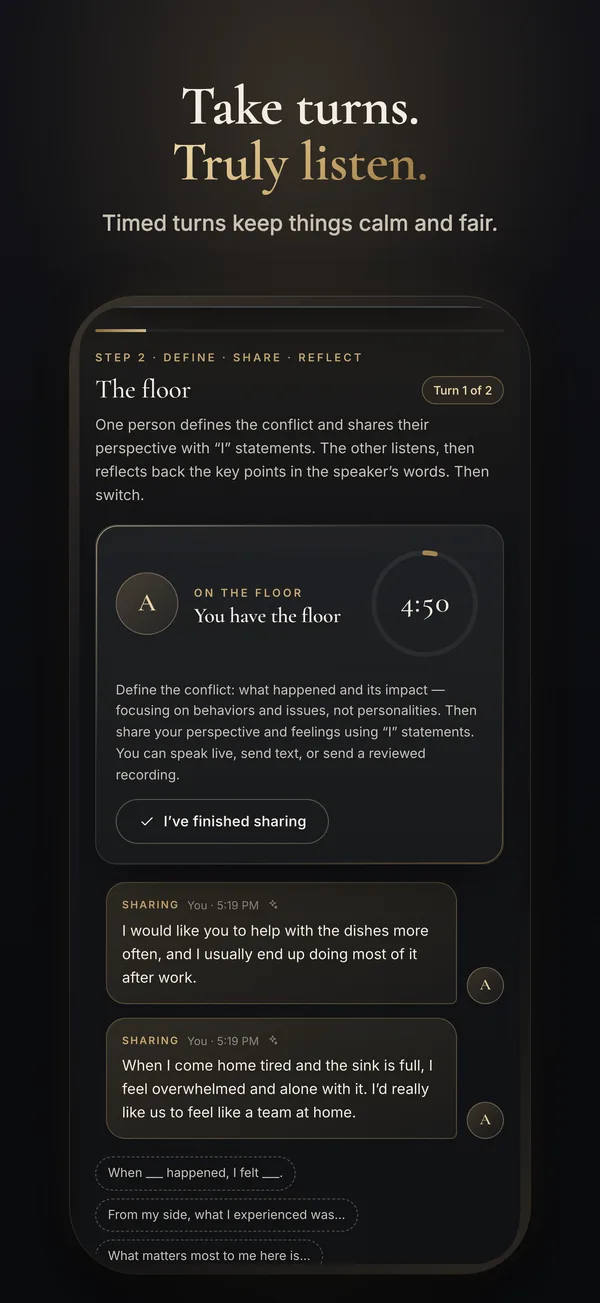
One voice at a time. A timer gives each person the floor, and the listener reflects back what they heard before anyone responds.
Guided conversations for two
A calm, guided space for two people to be heard, understand each other and agree on a plan they both own — face to face on camera, or at your own pace.

Hard conversations go better with structure. The Conflict Resolution App walks two people through a proven sequence — ground rules, timed turns, reflecting back, questions, needs, solutions, an action plan and a follow-up — so each person has room to speak and to listen.
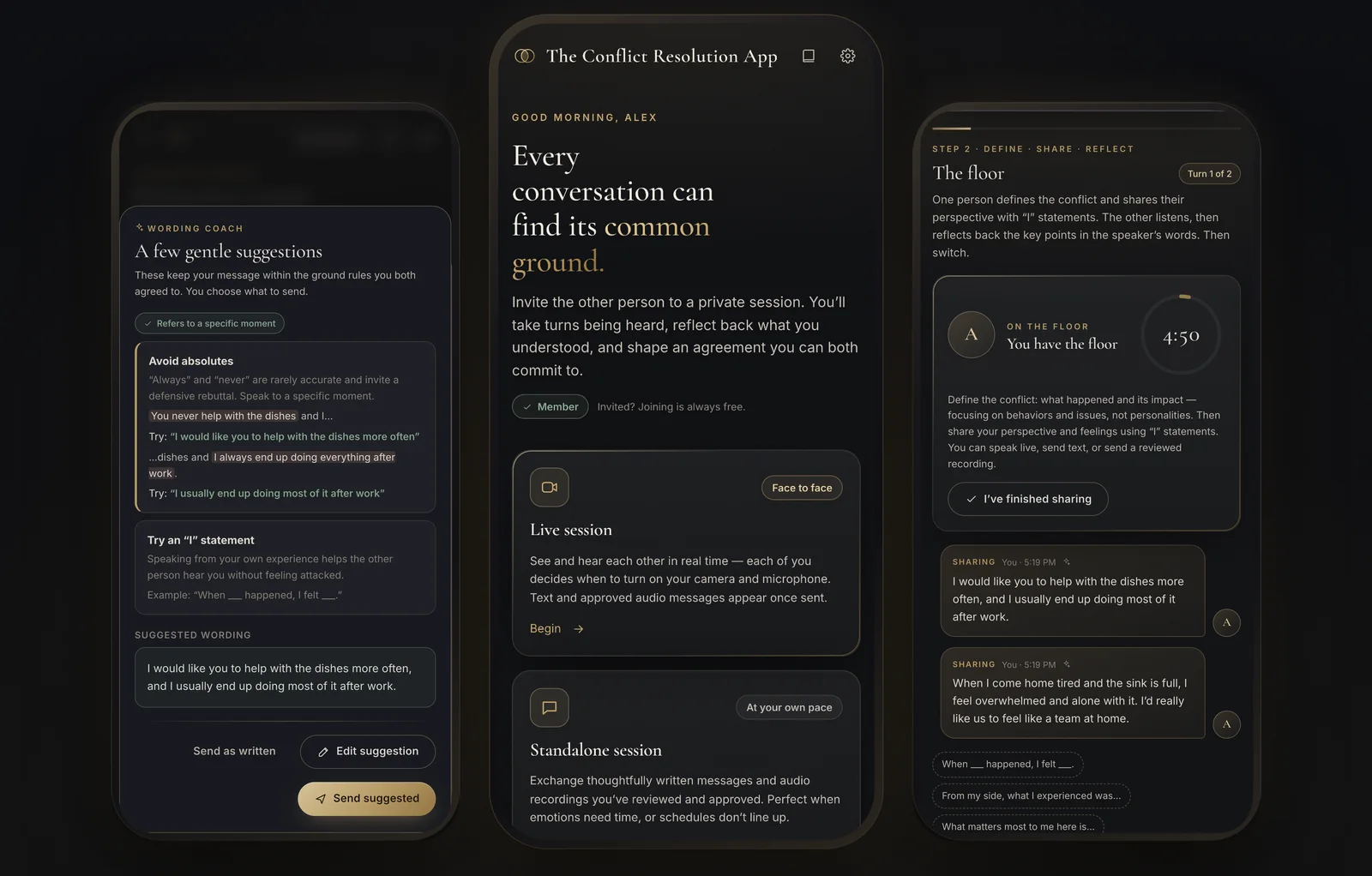
One voice at a time. A timer gives each person the floor, and the listener reflects back what they heard before anyone responds.
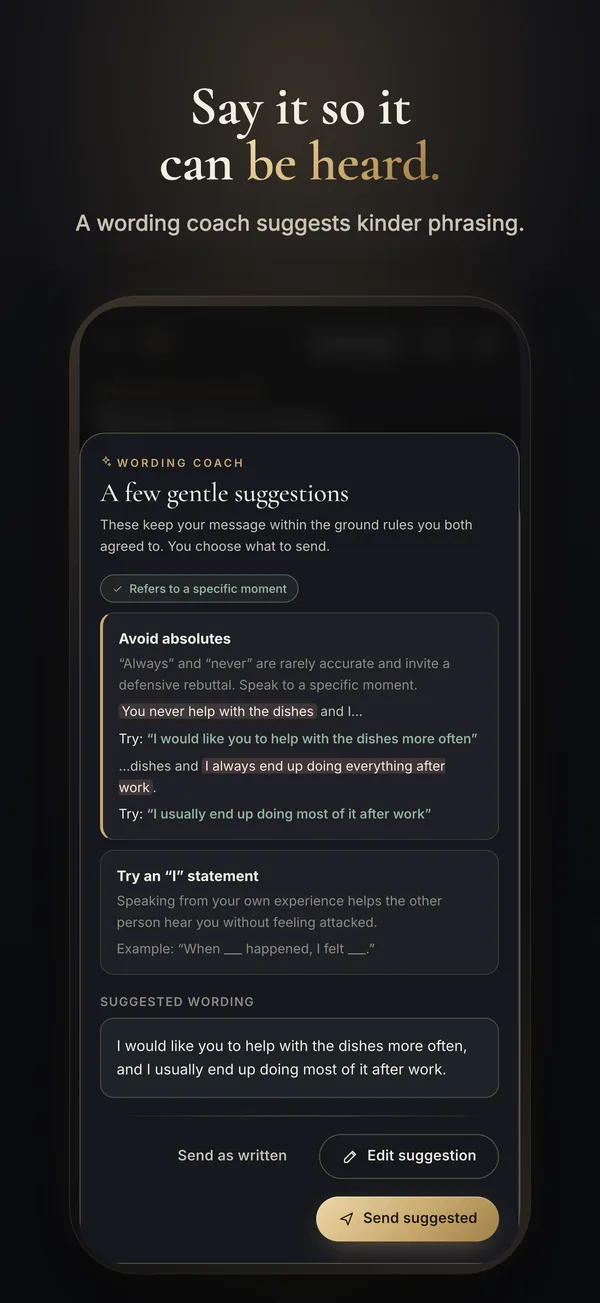
A private Wording Coach suggests “I” statements and calmer phrasing before you send. You decide what to use.
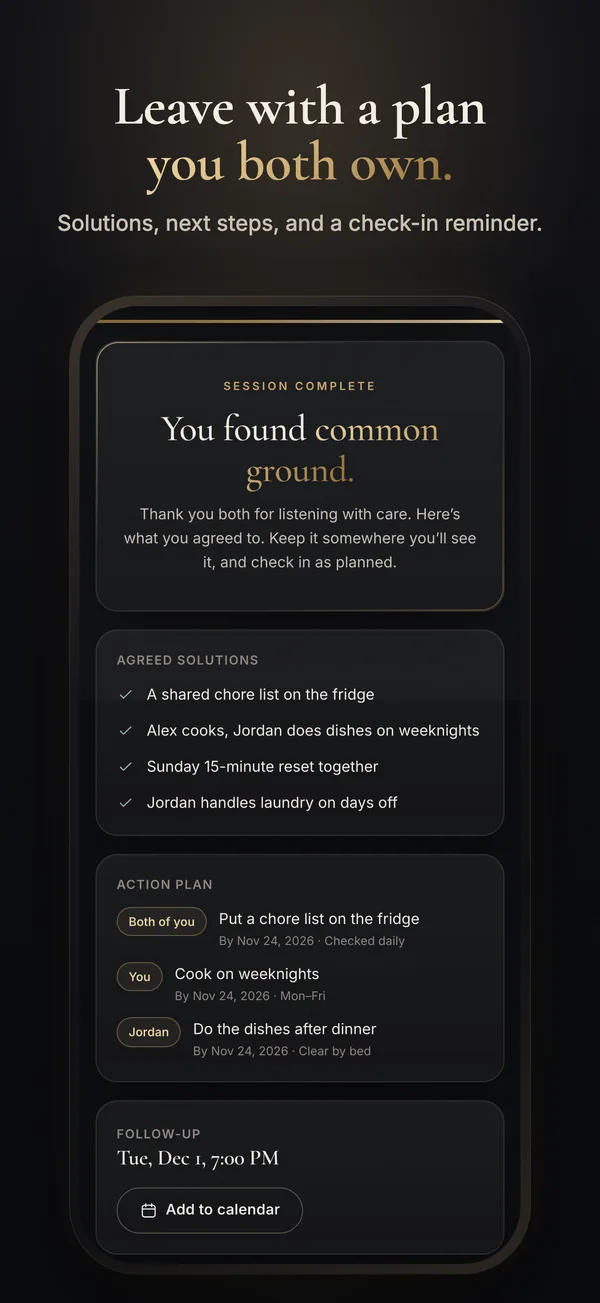
Agree on solutions you both support, write down who does what by when, and choose a time to check in.
The method
Each step opens only when you are both ready, so neither person is rushed and the conversation keeps its shape.
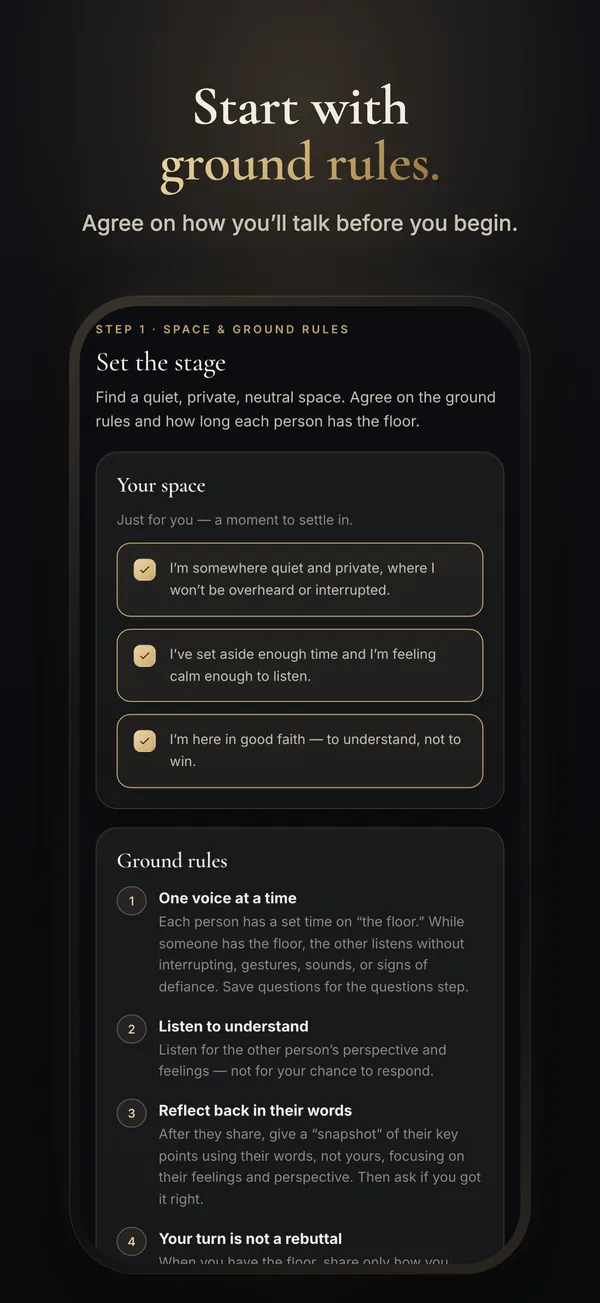
Find a quiet, private space. Agree on the ground rules and how long each person has the floor.
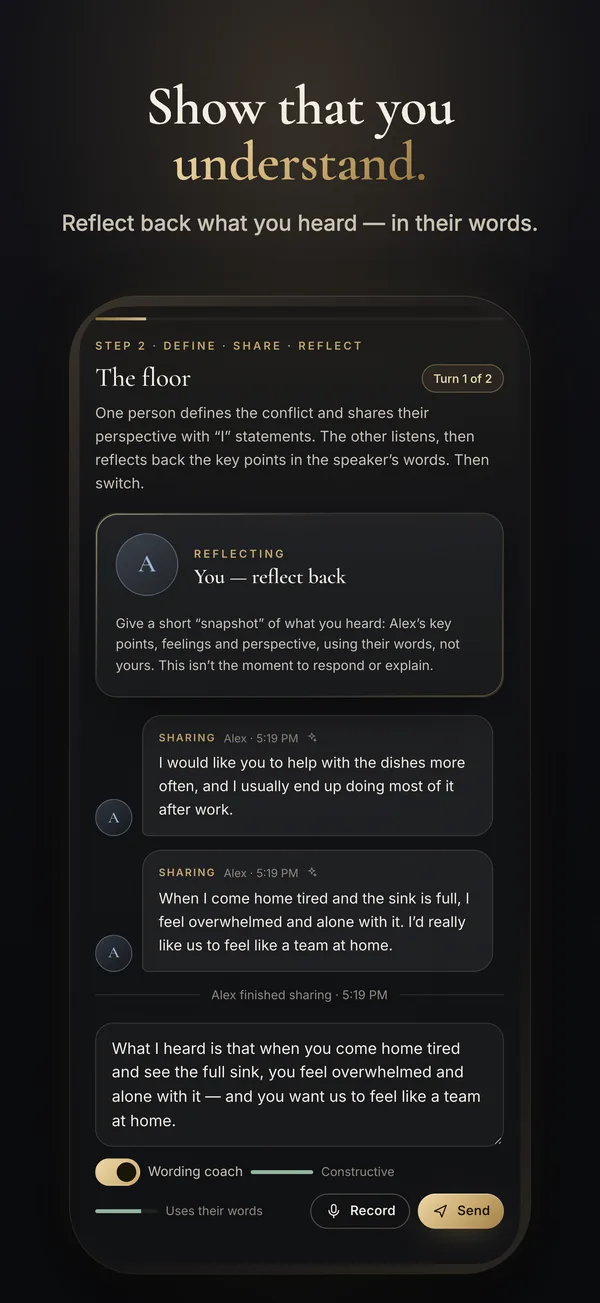
One person defines the conflict and shares their perspective with “I” statements. The other listens, then reflects back the key points in the speaker’s words. Then you switch.
Now that you have both been heard, ask each other open, curious questions — understanding first, rebuttals set aside.
Each person shares what would help them reach common ground: “What I need is…” or “It would help me if…”.
Generate many options together, focused on shared goals. Judging waits until the next step.
Support the options you are willing to commit to. The ones you both support become your agreement.
Detail who does what, by when, and how you will both know it is working. Keep goals realistic.
Choose a date and time to check in on how it is going, and add a reminder to each of your calendars.
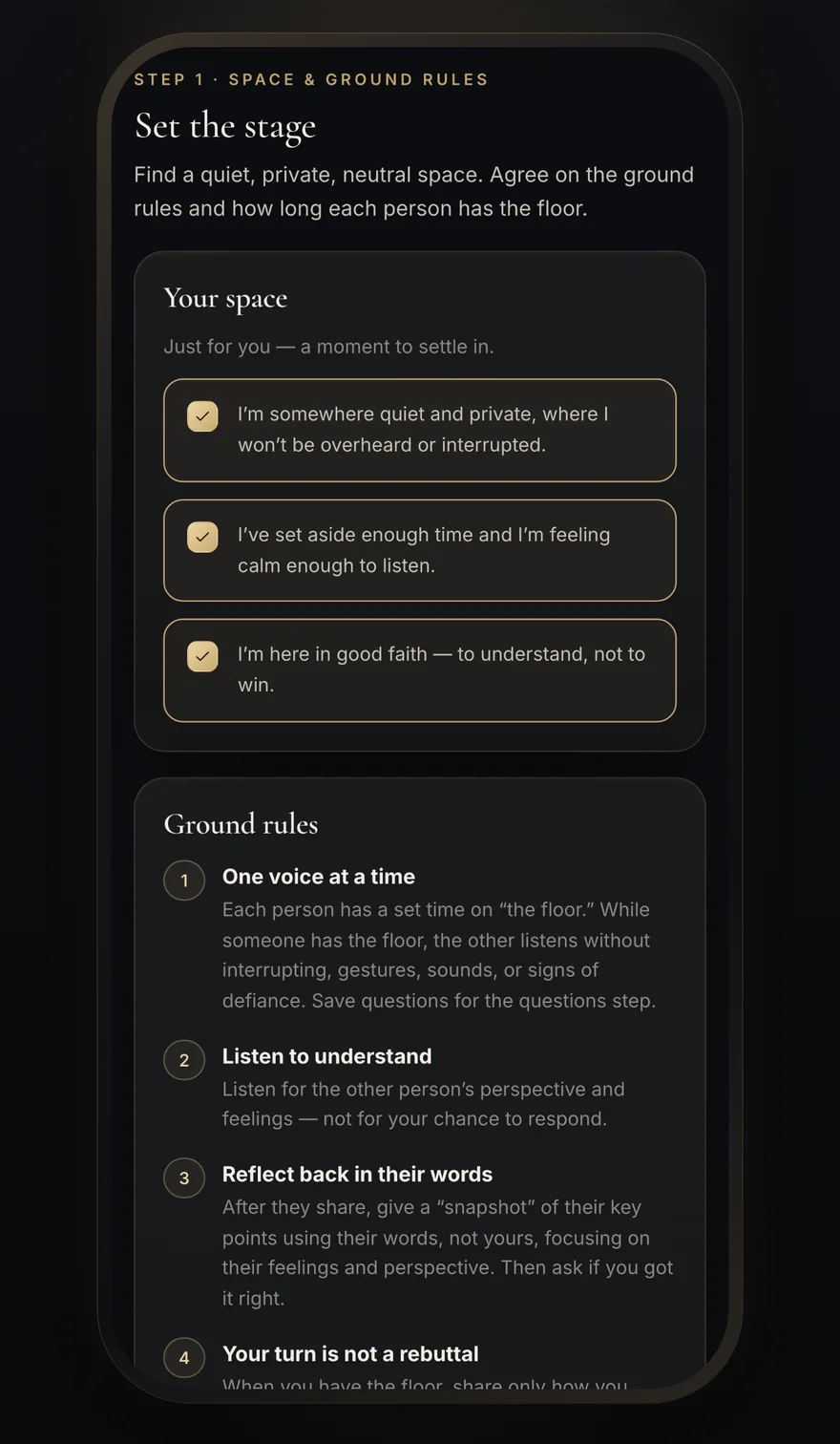
Step 1 · Ground rules
Before anyone speaks, the app helps you set the tone. A brief personal check-in confirms you are somewhere private, have set aside enough time, and are here in good faith — to understand, not to win.
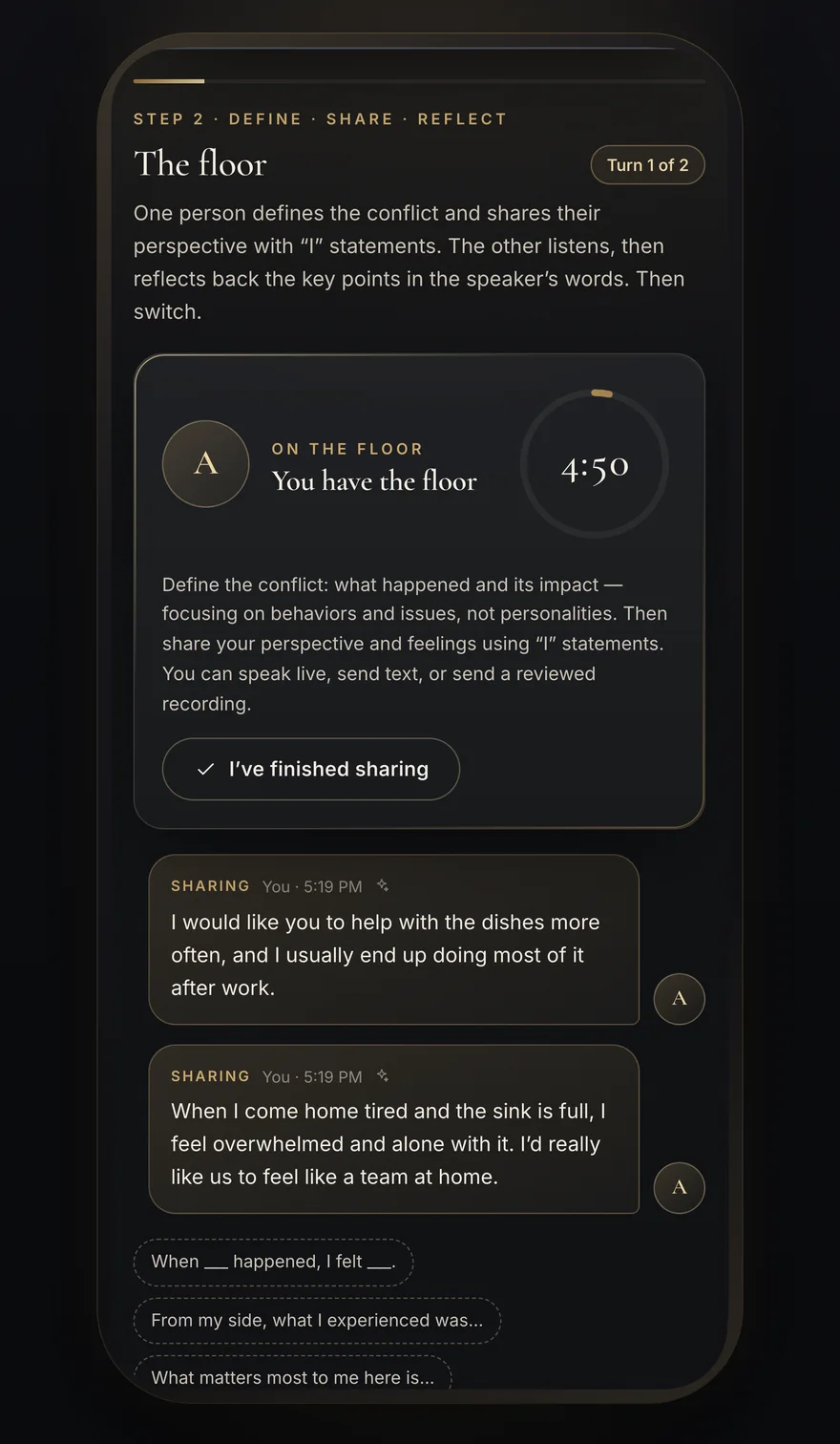
Step 2 · The floor
Timed turns keep things calm and fair. When you have the floor, you define the conflict and share how you saw it and how you felt. When you are listening, your only job is to understand.
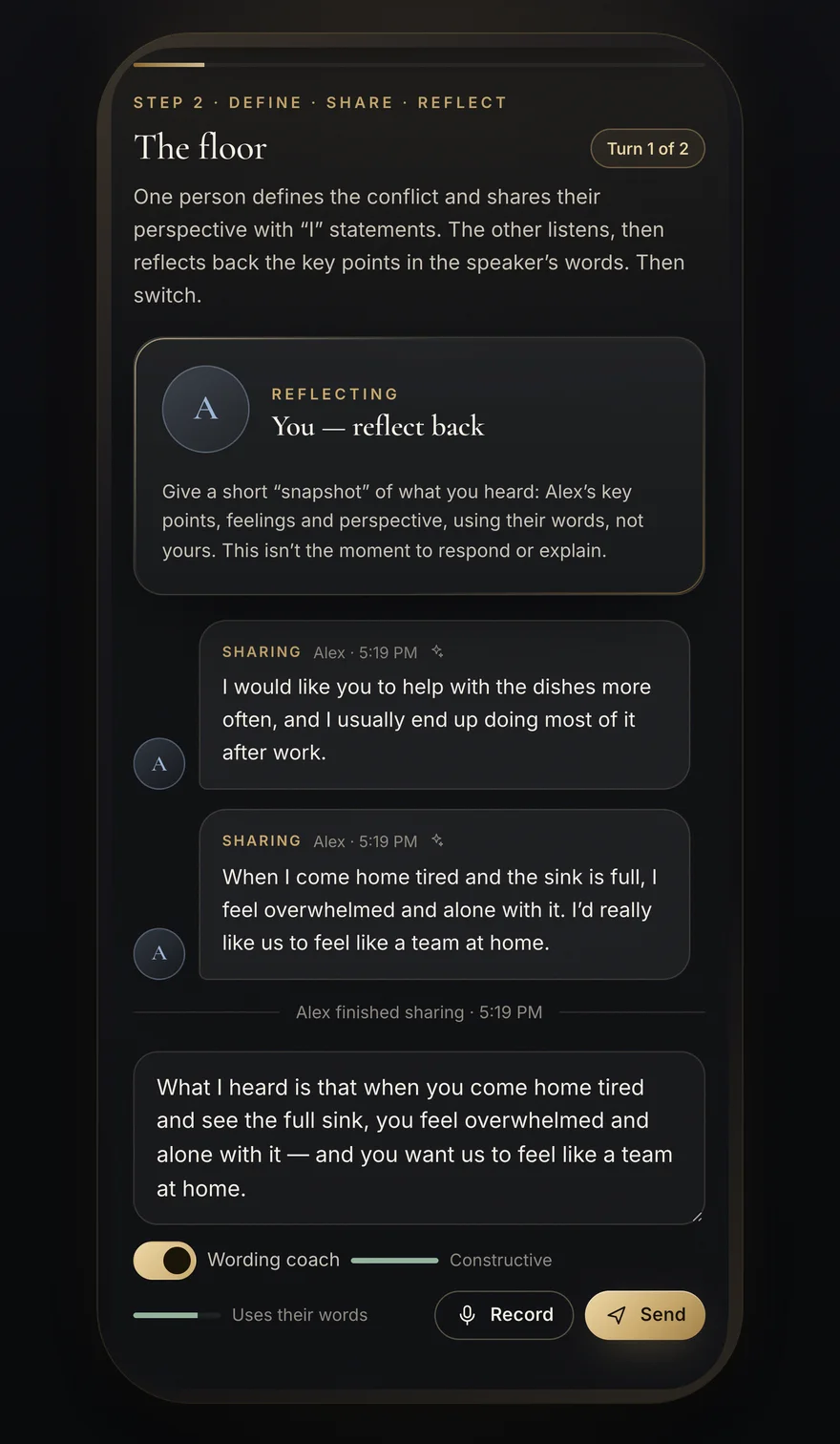
Reflect back
After each turn, the listener gives a short “snapshot” of the speaker’s key points, feelings and perspective — in the speaker’s words, not their own — and then asks whether they got it right.
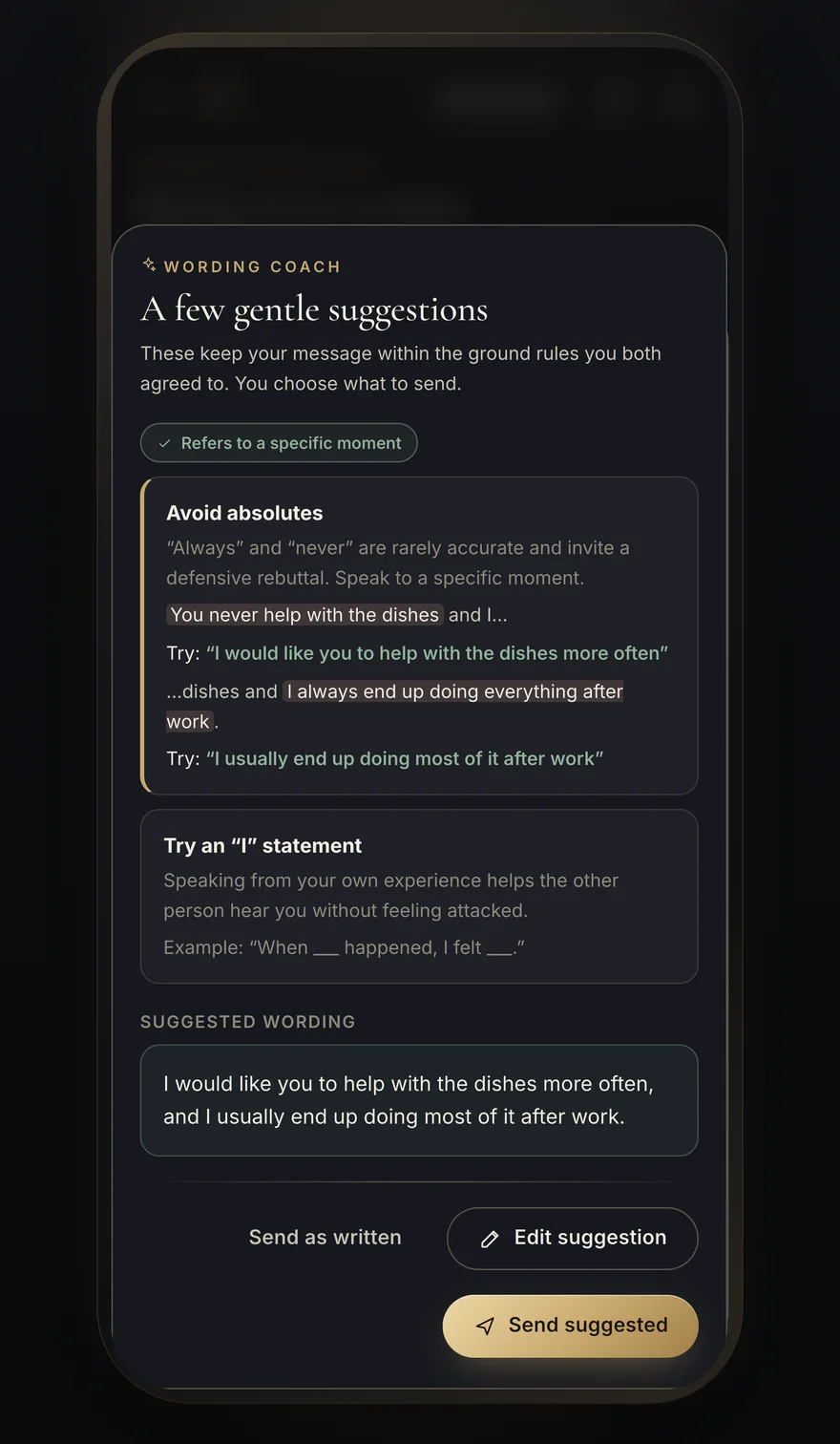
The Wording Coach
Before a message goes out, the Wording Coach reads it on your device and points out phrasing that tends to escalate — blame, labels, demands and all-or-nothing words — then suggests calmer wording as an “I” statement. You choose: send as written, edit the suggestion, or send the suggested wording.
Instead of“You never help with the dishes.”
Try“I would like you to help with the dishes more often.”
Instead of“You made me feel stupid in front of everyone.”
Try“I felt embarrassed when my idea was laughed at during dinner.”
Instead of“You should have called me.”
Try“I would feel more at ease if you called when plans change.”
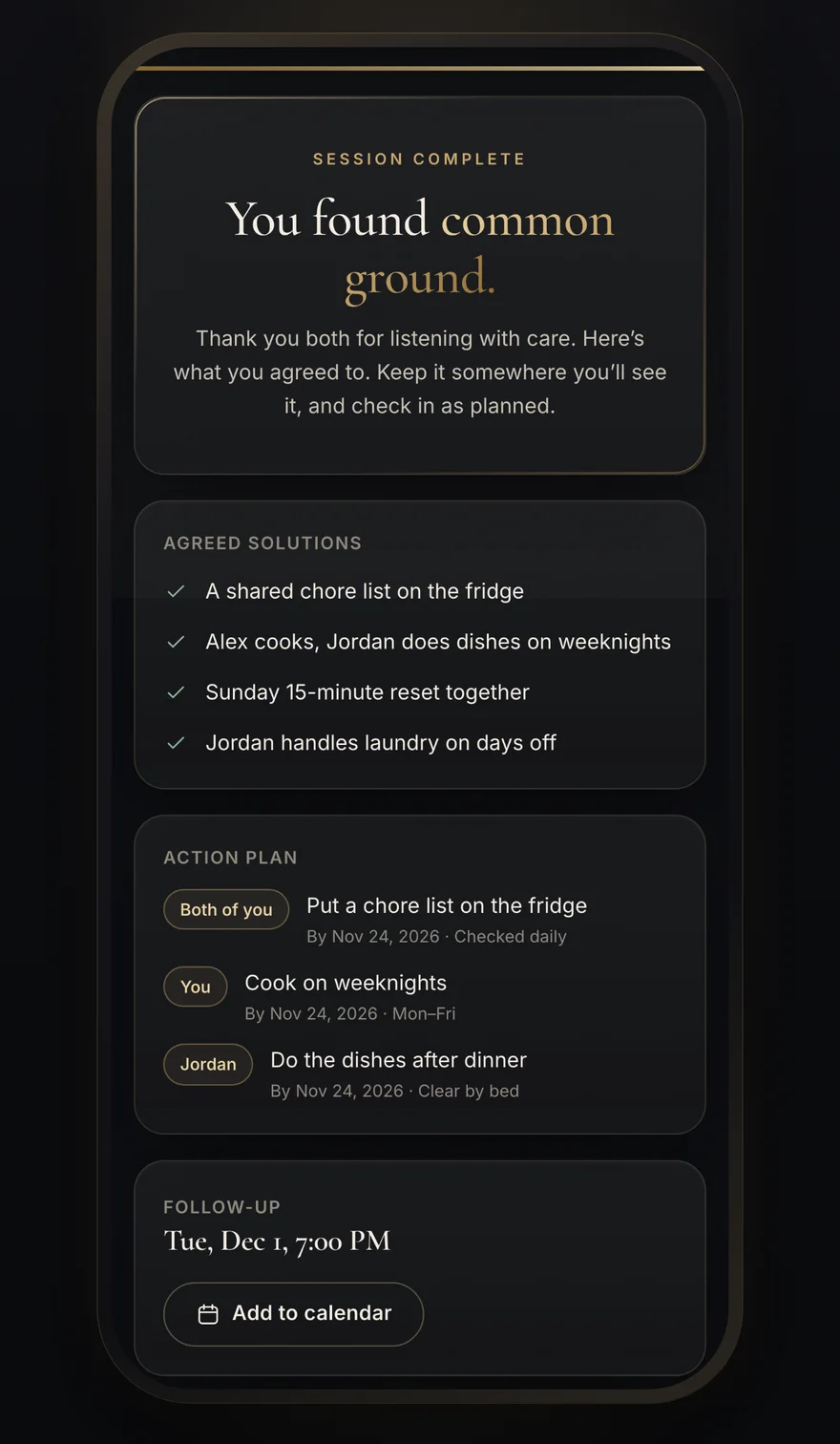
Solutions · Action plan · Follow-up
Brainstorm freely, then support the options you are willing to commit to. Solutions you both support become your agreement, and the action plan turns it into clear next steps.
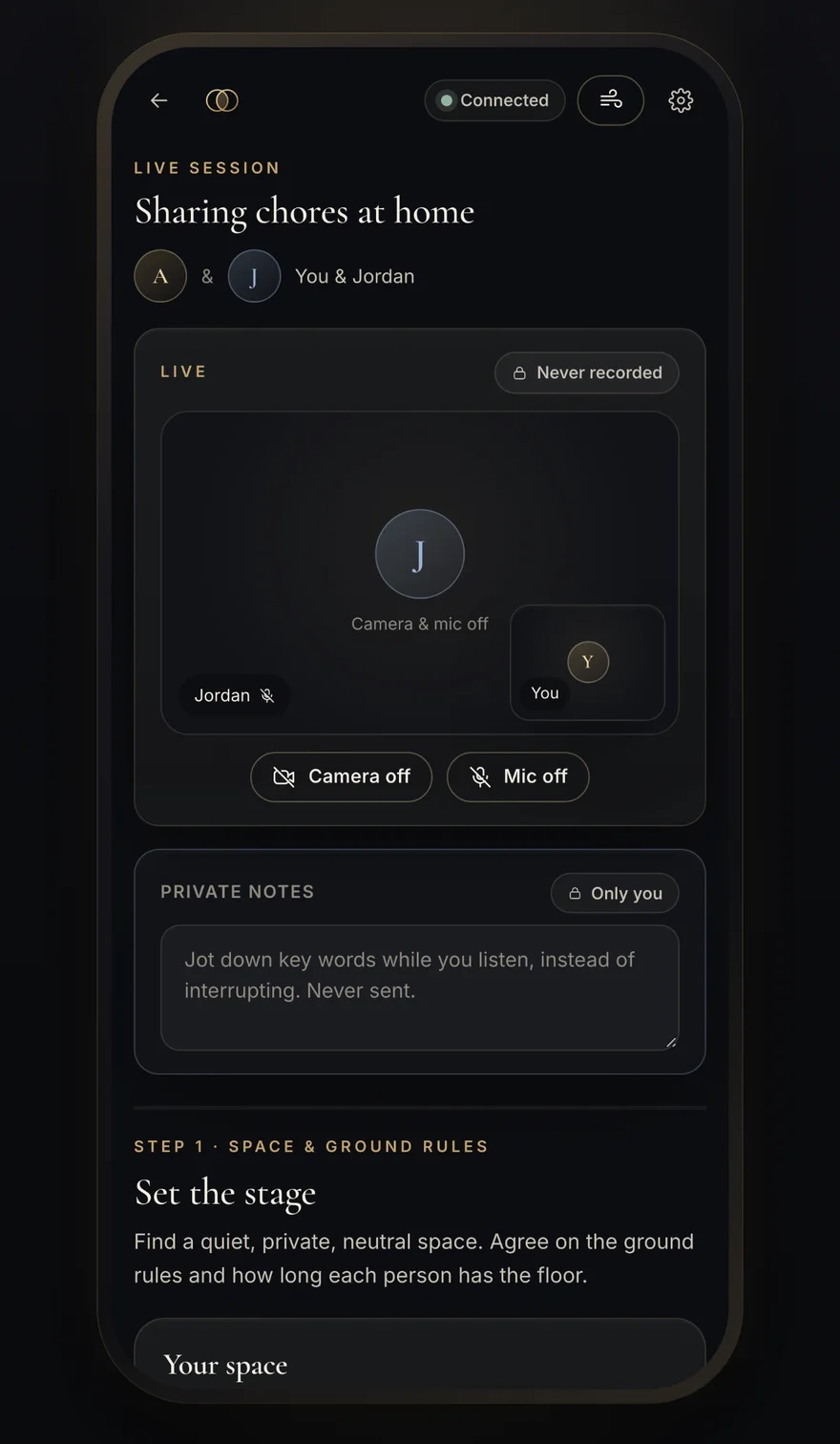
Live or at your own pace
Face to face
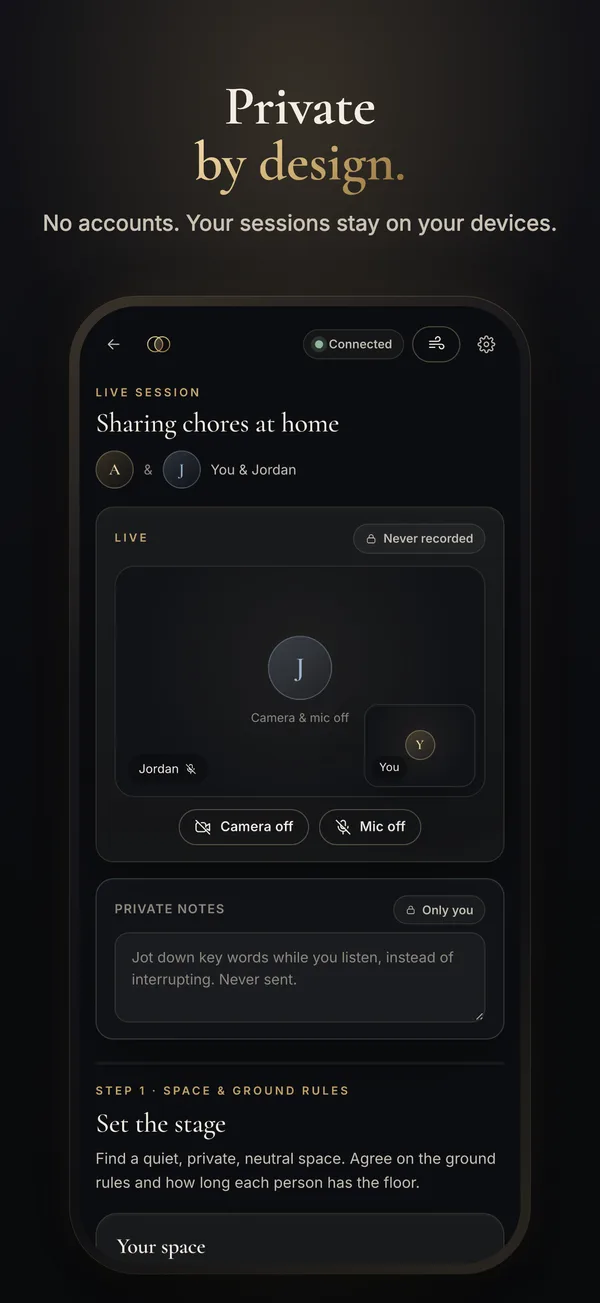
See and hear each other in real time. Each of you decides when to turn on your camera and microphone, and the live video is not recorded. Text and approved audio messages appear once sent.
At your own pace
Exchange thoughtfully written messages and audio recordings you have reviewed and approved. Ideal when emotions need time, or schedules do not line up.
Made for everyday disagreements
Chores and money, plans and expectations, the small frictions that build up between partners, family members, housemates and friends. The app gives those conversations a calm structure, so each person can speak, be understood and move forward together.
Private by design
We built the app so we do not receive your conversations. There is no user database of messages, recordings, video, notes or plans — they live on your devices.
Start with your first name and a neutral topic. No sign-up, no profile, no password to remember.
Sessions, messages, recordings and private notes are kept in your app’s storage. Delete any session, or all data, in Settings.
Messages, audio and video travel directly between the two devices over WebRTC, encrypted in transit (DTLS and SRTP).
No tracking cookies, no advertising and no selling or sharing of personal information.
Each person turns their camera and microphone on or off at any time. Voice messages stay with you until you review and send them.
The other person receives your display name and only what you choose to send or confirm. Private notes stay on your device.
Wording help, two ways
Included · On your device
The Wording Coach reviews your phrasing, and the on-device Assistant offers brainstorming ideas and draft action plans. Both run privately on your phone or computer, at no extra cost.
Optional · Off by default
Prefer a deeper rewrite? Connect your own Claude API key from Anthropic in Settings. Refining your wording sends only your draft. Suggestions that draw on both people’s shared messages work only after you both consent in the session. Usage is billed by Anthropic to your own account.
Suggestions are educational and may be imperfect. You decide what to use and send.
A closer look
Membership
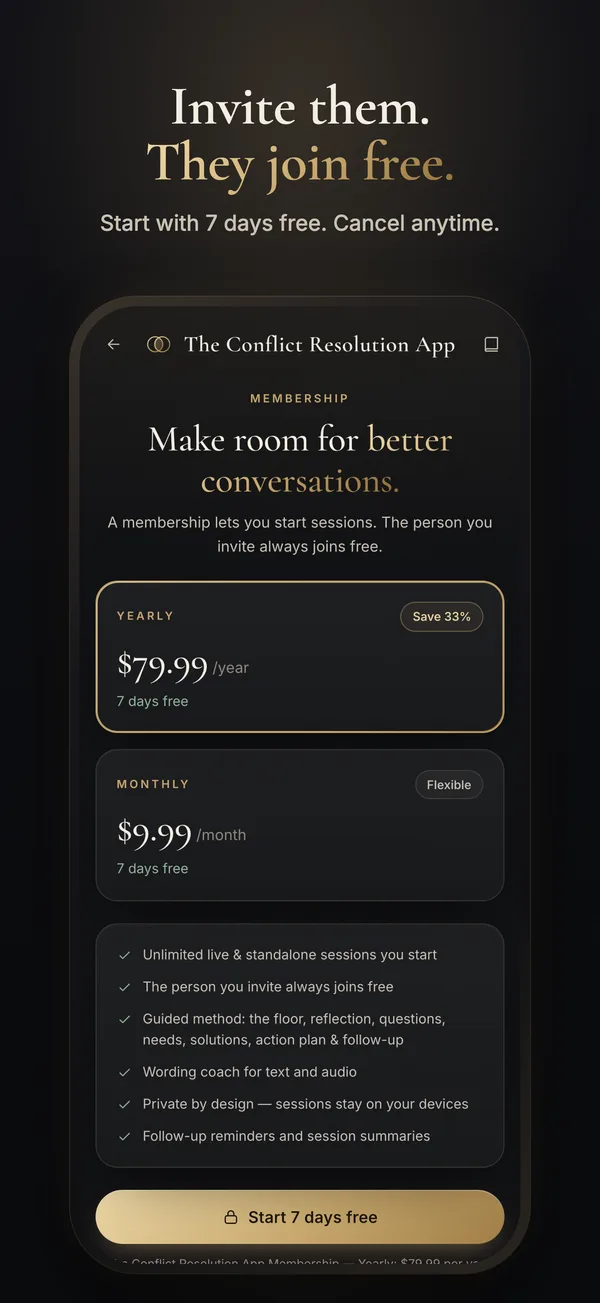
Only the person who starts sessions needs a membership. Anyone you invite joins at no cost, on iPhone or in a browser.
$79.99 / year
7 days free, then billed yearly
$9.99 / month
7 days free, then billed monthly
Subscribe in the app through the App Store. The 7-day free trial is an App Store introductory offer; your subscription begins when the trial ends unless you cancel at least 24 hours before. Manage or cancel any time in your iPhone’s Settings.
Your 7-day free trial begins with your first session, needs no payment details and does not convert to a paid membership on its own. Website memberships are sold by our reseller, Polar, and can be used on up to 3 devices.
Prices in U.S. dollars, plus any applicable sales tax. App Store prices appear in your local currency before you confirm. Memberships renew automatically until cancelled.
Educational & self-help
The Conflict Resolution App is an educational, self-help tool for adults. It offers a structured framework, prompts and optional wording suggestions for everyday disagreements. It is not therapy or counseling, not mediation, and not legal advice, and no person or program in the app acts as a mediator or advisor.
Please do not use it for legal matters such as divorce, custody, court-connected cases or disputes with legal deadlines. Agreements made in the app are informal, good-faith commitments between the two of you.
Questions
Choose a Live or Standalone session, enter your first name and a neutral, blame-free topic, then share the six-character code with the other person. They join with the code on the iPhone app or at theconflictresolutionapp.com, and you connect as soon as you both have the session open.
No. Joining a session someone invites you to is free, on the iPhone app or on the web. Only the person who starts sessions needs a membership after the free trial.
On your devices. Each person keeps their own copy in the app’s storage, and we do not receive your messages, recordings, video, notes or plans. You can delete a session, or all of your data, in Settings.
No. Live camera and microphone streams go directly between the two devices and are not recorded by the app. Voice messages are recorded by you, reviewed by you and sent only when you choose.
Live sessions need you both online together. Standalone sessions let you exchange messages at your own pace, and if you cannot connect, either of you can send an encrypted “sealed update” file through any channel you trust.
No. It is an educational, self-help tool that gives two people a structured way to talk. If you need legal, medical, mental-health or financial guidance, please consult a licensed professional.
Download the iPhone app from the App Store, or use the web app in a modern browser on a phone, tablet or computer. People on different devices can join the same session.
On iPhone, use “Manage subscription” in the app or Settings → your name → Subscriptions. On the web, use “Manage billing or cancel” in the app’s Settings, the link in your receipt email, or email us. You keep access until the end of the period you have paid for.
Adults 18 and older. Participation is voluntary for both people, and either person may pause or end a session at any time.
Start your 7-day free trial. The person you invite joins free.